
How to Redirect a Subdomain to an External URL
1. Log in to your cPanel account.
2. In the Domains section, click on Subdomains.

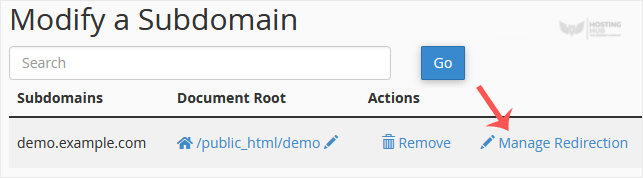
3. Under the Modify a Subdomain list, you can see a list of subdomains.
4. Click on Manage Redirection , which corresponds to the subdomain you wish to manage.
5. Under the Redirection field, enter your website address.
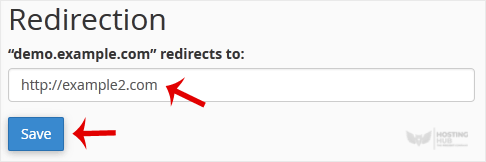
6. Click on Save.
Updated on: 28/04/2026
Thank you!