
How to Log in to Virtualizor Control Panel
You can find the Control Panel URL, Username and Password in your VPS welcome email.
Virtualizor Login details example:
Control Panel URL: https://cp.example.com:4083 or with the IP Address.
Username: Your email address.
Password: example.
How to log in to Virtualizor Control Panel?
1. Open VPS Control Panel.
2. Enter your Virtualizer username and password.
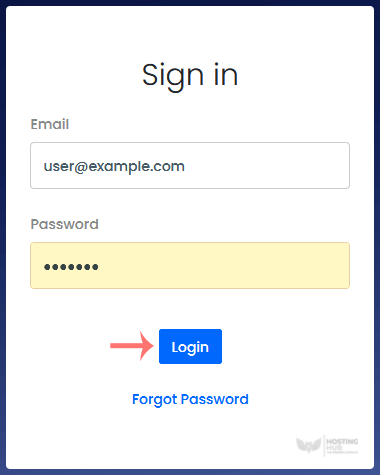
Click on Login , and you will be redirected to the Virtualizor VPS management area.
Updated on: 28/04/2026
Thank you!